Two acronyms sit inside almost every recent Hyundai and Kia: LFA and LKA. They look like typos of each other, they get mentioned in the same breath at the dealership, and half the owners I talk to have no idea which one is making the car behave the way it does. One of them is a steady co-pilot. The other is a rumble strip built into your steering wheel.
Sort those two out and most of the “my Kia keeps bouncing between the lines” complaints solve themselves.
Key takeaways
- LKA (Lane Keeping Assist) is a safety net that only reacts when you drift toward a lane line.
- LFA (Lane Following Assist) is an active centering system that steers to keep you in the middle of the lane.
- The “ping-pong” feeling owners report usually comes from LKA alone, without LFA, correcting late and hard.
- LFA works best paired with Smart Cruise Control; on many models it will not activate without cruise engaged.
LKA and LFA are not the same feature
Let me draw a clean line between them, because Hyundai and Kia do not always make it obvious in the owner’s manual.
Lane Keeping Assist is the older, simpler one. It watches the lane markings and does nothing until you approach a line. Then it warns you and applies a corrective steering nudge to push you back toward center. It is reactive. It waits for a mistake, then fixes it.
Lane Following Assist is the newer, smarter one. It steers continuously to keep the car centered, adjusting through gentle curves without waiting for you to drift. It is proactive. It is trying to hold a line, not rescue you from crossing one.
Good to know
If you have driven a Toyota, LFA is Hyundai and Kia’s answer to Toyota’s Lane Tracing Assist. The behavior is close enough that our Toyota Lane Trace Assist explainer maps neatly onto how LFA feels from the driver’s seat.
Why owners feel the “ping-pong”
Here is the single most common complaint I hear about these cars: it feels like the car bounces from one line to the other, correcting left, then right, then left again. Owners call it ping-pong or wall-bouncing, and it feels unsettling.
Nine times out of ten, that is LKA working without LFA. When only Lane Keeping Assist is on, the car does nothing in the middle of the lane, then corrects sharply when you near a line. You drift, it snaps you back, you drift the other way, it snaps you back again. That is the ping-pong.
Turn on LFA and the sensation usually smooths right out, because now the car is actively holding center instead of bouncing off the edges.
If your Hyundai feels like it is playing pinball in the lane, you are probably running LKA alone. LFA is the calm hand you are missing.
How to tell which one is active
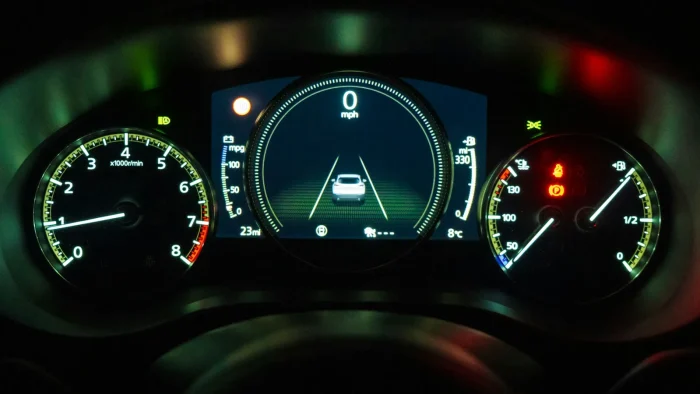
The dash icons are your tell. Both brands use a steering-wheel-and-lane graphic, but the color and shape signal the mode.
- A green steering wheel icon usually means LFA is active and holding center.
- A green lane icon without the wheel typically means LKA is on and standing by.
- A gray or white version of either icon means the system is on but not currently controlling, often because it cannot see clear lane lines.
- An amber warning means it wants your attention, and our guide to the amber lane departure symbol meaning breaks down exactly what it is telling you.
Tip
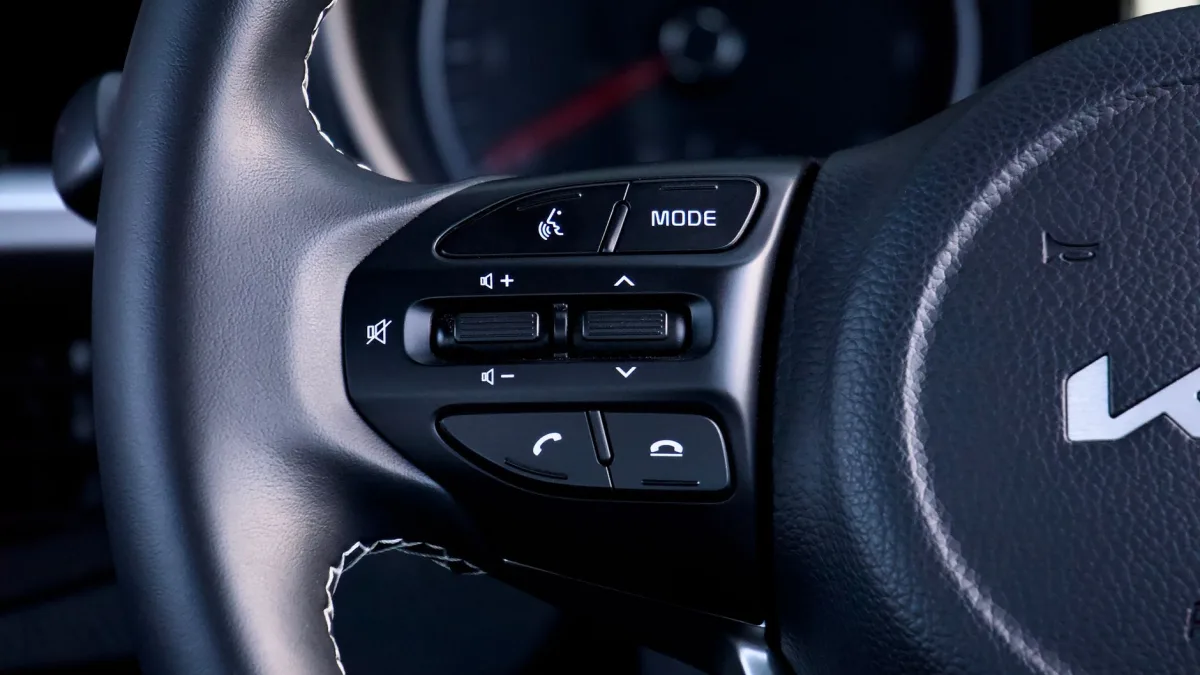
On most Hyundai and Kia models, LFA has a dedicated button on the left spoke of the steering wheel, marked with a small steering-wheel icon between two lane lines. LKA is buried in the driver assistance settings menu. If you only ever press one button, press the LFA one; it gives you the smoother experience.
LFA leans on Smart Cruise Control
This surprises people. On a lot of these vehicles, LFA is designed to work hand in hand with Smart Cruise Control (SCC), Hyundai and Kia’s adaptive cruise. On many trims, LFA will only do full centering when SCC is set and active.
Below highway speeds or with cruise off, LFA may downgrade to something closer to LKA behavior, giving you nudges instead of steady centering. That is not a fault. It is how the system is tuned, and it is a big reason owners think LFA “stopped working” when they simply turned cruise off.
Watch out
LFA is a driver assistance feature, not self-driving. It expects your hands on the wheel and will nag you if it senses you have let go. That prompt is the same family of alert we cover in the steering wheel nag alert explainer. Ignore it long enough and the system deactivates for the rest of the trip.
When the camera loses the plot
Both systems see through one camera at the top of the windshield. When that camera cannot read the road, both features quietly step back.
The usual culprits are worn or missing paint, glare from a low sun, heavy rain, and snow. Faded rural lines are a classic trigger, and our piece on why lane keep assist fails on faded lane lines explains why the camera needs decent contrast to work. Winter conditions cause their own dropouts, covered in lane keep assist not working in snow.
After glass or a fault
Replace the windshield and that camera almost always needs recalibration, or LFA and LKA can misjudge where the lane sits. If you are pricing that out, the camera calibration cost breakdown tells you what a fair number looks like. And if the system keeps switching itself off for no obvious reason, work through why lane keep assist keeps turning off before assuming the worst.
A quick comparison to lock it in
| Feature | LKA | LFA |
|---|---|---|
| Behavior | Reactive, corrects near lines | Proactive, holds center |
| Feel | Nudges, can ping-pong | Smooth, continuous steering |
| Best with cruise? | Works independently | Often needs Smart Cruise Control |
Independent testers make the same overall point about every brand’s version of these tools: they assist, they do not drive. The My Car Does What resource is a plain-language place to see how similar features compare across manufacturers.
Getting the most out of your car
My honest advice to Hyundai and Kia owners is simple. Learn where the LFA button lives, use it with Smart Cruise Control on the highway, and stop blaming the car for ping-ponging when it is really just LKA doing its narrow job.
For the bigger picture on how these systems relate to every other lane feature out there, from warning symbols to comparisons, the complete lane keep assist guide ties it all together. Once you know which acronym is which, your Hyundai or Kia goes from confusing to genuinely helpful.
Questions drivers ask
LKA (Lane Keeping Assist) is reactive and only nudges you when you drift toward a lane line. LFA (Lane Following Assist) is proactive and steers continuously to hold the car centered. LFA gives the smoother, more hands-off feel of the two.
That bouncing usually means LKA is on but LFA is off. LKA does nothing in the middle of the lane, then corrects sharply near each line, so the car drifts and snaps back repeatedly. Switching on LFA lets the car hold center and typically smooths it out.
On many Hyundai and Kia models, yes. LFA is designed to work with Smart Cruise Control and often will not do full lane centering unless SCC is active. With cruise off, it may drop back to simpler nudging behavior similar to LKA.
Look for a green steering-wheel icon in the cluster, which usually means LFA is actively holding center. A gray or white version means it is on but not currently steering, often because it cannot read clear lane lines. An amber symbol means it wants your attention.
On most models it sits on the left spoke of the steering wheel, shown as a small steering wheel between two lane lines. Press it to toggle LFA. LKA is usually adjusted through the driver assistance settings menu rather than a dedicated button.