You are cruising down the interstate, minding your own business, when a little amber icon blinks to life on the dash: a car sitting between two lane lines, with the line on one side glowing yellow. Your stomach drops a little. Is something broken? Did you just fail some invisible test?
Relax. In most cases that amber lane symbol is your car doing exactly what it was designed to do. But the color it shows, and whether it stays lit or flashes, tells you very different stories.
I have spent enough time with a scan tool plugged into these systems to know that the color states trip up more drivers than almost any other dashboard graphic. Let me walk you through what each one actually means.
Key takeaways
- An amber lane symbol usually means a warning or a lane departure alert, not a broken part.
- A steady amber icon at startup often just signals the system is standing by or a feature is switched off.
- A flashing amber lane line means you drifted and the car wants your attention right now.
- If the icon turns amber and stays on with a wrench or a message, that points to a genuine fault worth checking.
What the amber lane symbol looks like
The graphic is fairly standardized across brands. You will see a small car icon flanked by two vertical or angled lines that represent lane markings. One or both of those lines change color depending on what the system is doing.
Green or white lines generally mean the system sees the lane and is ready or actively helping. Amber, sometimes called yellow, is the color that raises questions.
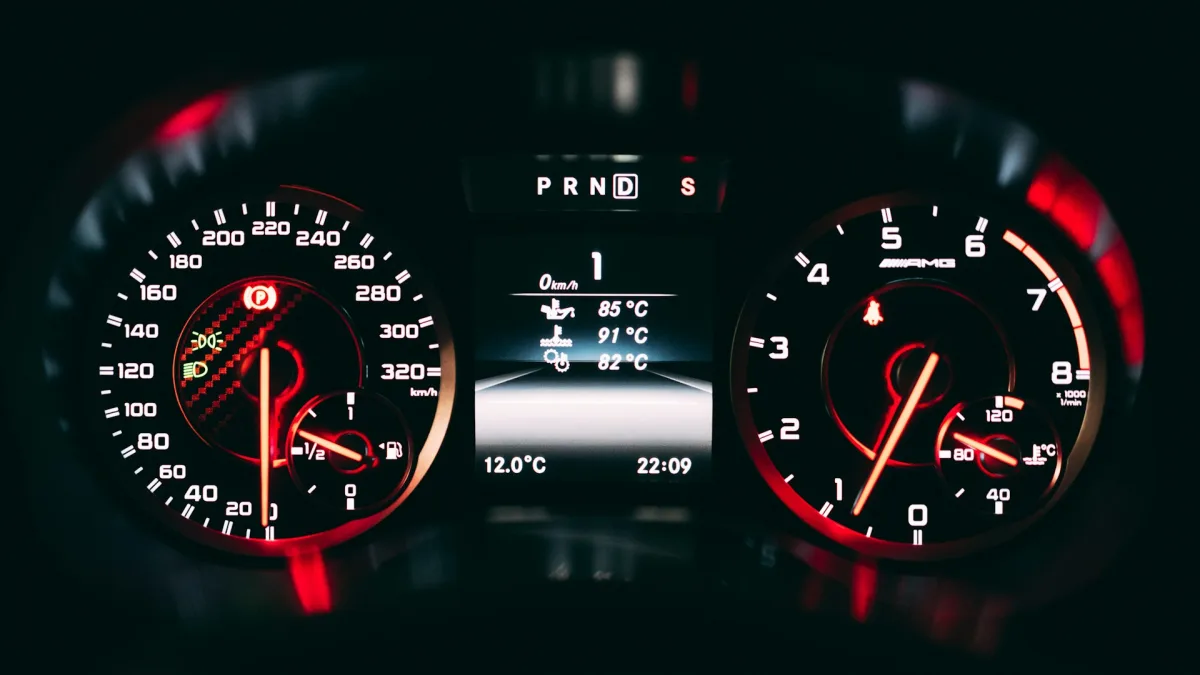
Here is the important part: amber is the universal color for caution across your whole instrument cluster. Your engine temperature, your tire pressure, your traction control, they all use amber to say “pay attention, not panic.” The lane symbol follows the same rule.
Amber state one: the system is on standby
When you first start the car, a lot of lane systems light up amber for a few seconds during the self test. That is completely normal. The camera behind your windshield is booting up and checking itself.
Some vehicles also show a steady amber lane icon when the feature is switched off or unavailable. On many Subaru EyeSight models, for example, the lane departure indicator sits amber until you reach the minimum activation speed, which is often around 30 to 40 mph.
Good to know
Most lane systems will not engage below a set speed, usually somewhere between 37 and 45 mph. Below that threshold an amber or gray icon simply means the system is waiting, not failing.
So if you glance down at a residential speed and see amber, that is often just the car telling you it is not fast enough yet to help you stay centered. Speed up onto the highway and you should see it turn green or white.
Amber state two: a lane departure alert
This is the big one, and it is the reason the symbol exists. When you drift toward or across a lane line without signaling, the system flashes that line amber and usually adds a beep or a seat vibration.
This is lane departure warning doing its job. It is not a fault. It is the car nudging you back to reality because it thinks you wandered. If you want the full breakdown of how warning differs from active steering, I explained that in detail in our piece on lane keep assist versus lane departure warning.
The flashing amber line tells you which side you drifted toward. Left line flashing means you edged left, right line flashing means you edged right. Signal your lane change and the warning suppresses itself, because the system assumes an intentional move.
Tip
If you get a lot of nuisance amber flashes, check whether you are signaling your lane changes. Signaling tells the system your drift is deliberate and it will stay quiet.
Amber state three: a genuine fault
Now the state nobody likes. Sometimes the amber lane icon comes on and stays on, often paired with a text message like “Lane Departure Unavailable” or a small wrench symbol.
That combination usually means the system cannot see the road. The most common culprits I run into at the bay are:
- A dirty, iced, or fogged windshield right in front of the camera
- Blinding sun glare or heavy rain washing out the lane lines
- Faded or missing lane paint on the road itself
- A camera knocked out of calibration after a windshield swap
- A blown fuse or a wiring fault in the camera circuit
The first few clear up on their own once conditions improve. If you have driven onto a clean, well marked highway in good weather and the amber fault light will not go away, that is your signal to dig deeper.
Amber means look, not leave it. The color asks for attention; it rarely demands a tow truck.
How to tell which amber you are looking at
The quickest way to sort a warning from a fault is to watch the behavior. Ask yourself three questions.
Does it flash or stay steady? A flash almost always means a lane departure alert tied to your steering. A steady glow leans toward standby or fault.
Is there a text message or a wrench with it? Plain amber icon, probably normal. Amber icon plus “unavailable” or a wrench, probably a fault.
Does it clear when conditions change? If the light disappears once you clean the windshield, speed up, or move to a road with fresh paint, the system was just blinded, not broken. Faded paint is common enough that we covered it separately in our guide on why lane keep assist fails on faded lane lines.
Watch out
Never treat a persistent amber lane fault as permission to zone out. When the system is faulted, it is not watching your lane at all. You are the only lane keeping system on board until it clears.
Brand differences you should know
The core idea is shared, but the details vary. Toyota and Lexus tend to use a lane icon with white or green lines when active and amber when it wants your hands or attention. Toyota LTA behavior is its own topic, and I broke down the on screen indicators in our Toyota Lane Trace Assist walkthrough.
Honda LKAS shows a set of lane lines that turn green when it is steering and amber or gray when it is not engaged. Hyundai and Kia use a similar green versus amber logic in their Lane Following Assist.
Ford, Subaru, and the rest all land in the same neighborhood: white or green for good, amber for caution. Once you learn the pattern on your own car, you will read it in a glance.
A quick real-world example
A customer once rolled in convinced his lane system was dying because the amber icon lit every single morning. We plugged in the scan tool and found zero stored fault codes.
The answer was his commute. He left before sunrise on a rural road with worn out paint, and the low sun plus faded lines meant the camera simply could not lock on for the first ten minutes. By the time he hit the fresh asphalt near the highway, the icon went green. Nothing was wrong at all.
That is the amber lane symbol in a nutshell. It is a conversation, not an emergency. If you want the bigger picture of how all of these pieces fit together, our complete guide to lane keep assist ties the warnings, the steering, and the maintenance into one place.
When to actually worry
Book a diagnostic if the amber lane fault stays lit across multiple drives in clear weather on well marked roads, or if it appeared right after a windshield replacement or a front end collision. Those situations point to calibration or wiring, not conditions.
For a sanity check on how these systems are meant to behave, the plain language explainers at MyCarDoesWhat are a solid, unbiased reference. Otherwise, treat amber as the friendly heads up it was built to be, and keep your eyes on the road where they belong.
Questions drivers ask
Green usually means the system is actively seeing your lane and helping. Amber means caution: either the feature is on standby, you drifted and triggered a warning, or the camera cannot see the road. Watch whether it flashes or stays steady to tell them apart.
The car itself is safe to drive. A steady amber fault just means the lane system is not watching your position, so you are the only lane keeping in play. A flashing amber line is simply a drift alert asking you to steer back.
Low sun angle and faded paint often blind the camera for the first few minutes of a drive. Once you reach a road with fresh, high contrast lane lines in better light, the icon typically turns green on its own with no fault stored.
Yes. The camera sits behind the glass near your mirror, so ice, fog, bugs, or road film directly in front of it can trigger an unavailable message. Cleaning that patch of windshield often clears the amber icon right away.
Not usually. It only points to a repair if it stays lit across several drives in clear weather on well marked roads, or if it appeared right after a windshield swap or front end collision. Those cases suggest a calibration or wiring issue worth a diagnostic.