It usually strikes at the worst moment. You are settling in for a long highway stretch, you press set, and instead of a locked speed you get a chime and the words radar obstructed across the dash. Cruise unavailable. No further explanation.
I have watched drivers assume this means a dead sensor and an expensive repair. Almost every single time, it means something is sitting in front of the radar that should not be there. This is one of the most fixable warnings on the whole car.
Here is the plain-English version of what the message means, followed by the exact routine I use to clear it, in order, from the free two-minute fix to the last resort.
Key takeaways
- A radar obstructed message means the front sensor cannot get a clean signal, not that it is broken.
- The most common blockers are snow, ice, mud, road salt film, and stuck-on debris over the sensor.
- The fix is usually free: clean the bumper and grille area directly in front of the radar.
- The warning often clears on its own within a mile once the obstruction is gone.
- If a spotless car still shows it, calibration or a fault may be the real issue.
What the message actually means
Adaptive cruise depends on a radar sensor, usually mounted behind the grille, the emblem, or in the lower bumper. That sensor bounces a signal off the car ahead to measure distance and closing speed.
When something solid sits between the sensor and the road, the signal gets weak or scrambled. The car does the safe thing and disables cruise rather than trust a bad reading. The message is the sensor saying, in effect, “I cannot see clearly, so I am sitting this one out.”
Good to know
Different brands word it differently. Toyota may say “Radar Unavailable,” Honda might read “Cruise Unavailable,” and others say “Front Radar Obstructed” or “Sensor Blocked.” They all point to the same thing: something is in the way of the front sensor.
If you want the bigger picture of how the radar works and why it is so picky, our complete adaptive cruise control guide lays out the whole system. For now, let us clear the warning.
Step 1: Find your radar sensor
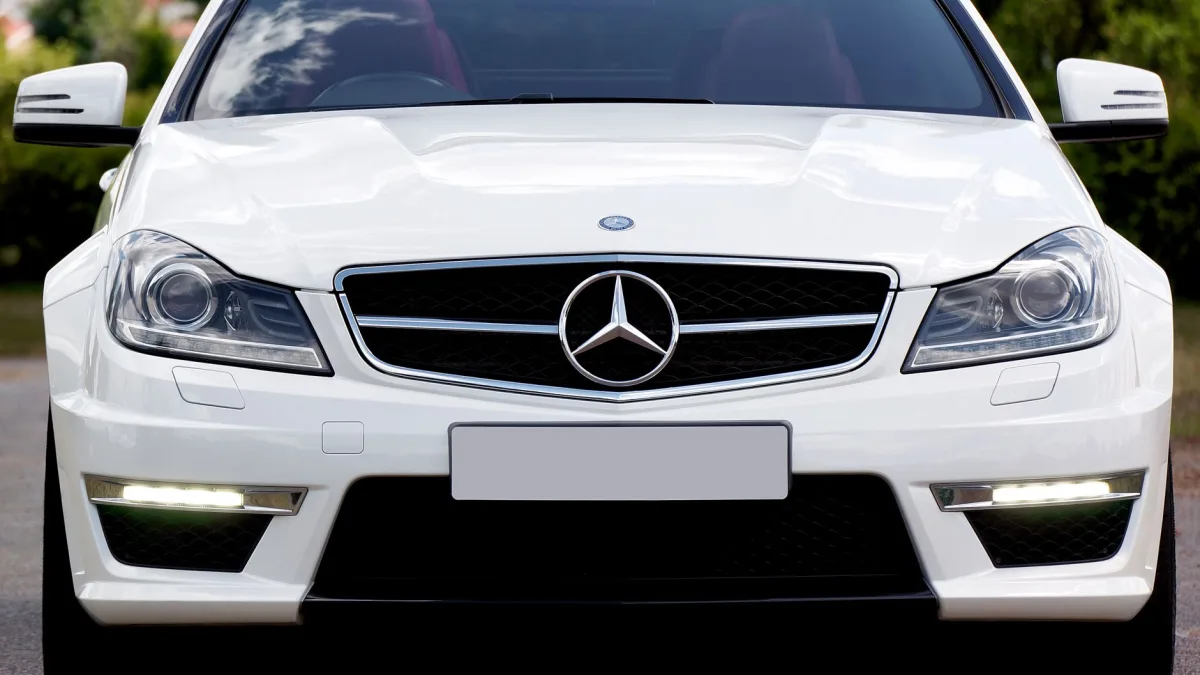
You cannot clean what you cannot find. On most vehicles built from 2016 onward, the radar hides behind the front emblem, in a slot in the grille, or low in the bumper near the license plate.
Look for a small rectangular panel that looks slightly different from the surrounding trim, often a smooth plastic patch. On many cars it sits right behind the manufacturer badge. Your owner’s manual shows the exact spot with a diagram.
Step 2: Clear the obvious blockers first
Before you overthink it, look for the easy stuff. This is where the fix hides most of the time.
- Snow or ice packed into the grille or over the sensor panel.
- Caked mud or a thick road-salt film after winter driving.
- A splattered layer of dead bugs across the front.
- A stuck plastic bag, leaf, or napkin blown flat against the bumper.
- A large license plate frame or aftermarket badge covering the sensor area.
I once cleared this exact warning for a driver by peeling a fast-food receipt off the bumper. It had been pinned there by highway wind, flat across the sensor, invisible until you looked straight on.
Step 3: Clean the sensor area properly
Grab a microfiber cloth and warm water. Gently wipe the sensor panel and the area directly in front of it. If there is packed snow or ice, let it melt or work it loose carefully rather than chipping at the sensor face.
Do not use a pressure washer at close range or a stiff brush on the sensor face. And skip harsh solvents. Warm soapy water and a soft cloth are all it needs.
Tip
In winter, a warm garage does the work for you. Ten to fifteen minutes indoors melts packed snow and ice off the grille far more gently than scraping. If you park outside, a warm water rinse over the bumper before a drive prevents the message from firing in the first place.
Step 4: Clear the message and drive
Once the sensor area is clean, the warning often clears itself within a mile of driving above about 20 mph. The radar re-checks its signal, sees a clean path, and re-enables cruise on its own.
If it does not clear right away, a full key cycle helps. Turn the car completely off, wait thirty seconds, and restart. That forces the system to run its self-check from scratch.
Nine times out of ten, the cure for a radar obstructed message is a clean bumper and one more mile of road. The car just wants to re-check its own eyes.
When it will not clear
If you have cleaned everything, cycled the key, and the message still hangs on with a spotless car, the problem has moved beyond simple obstruction. Now it is worth considering the deeper causes.
Weather that is genuinely too heavy
Sometimes there is nothing on the sensor at all, and the weather itself is the obstruction. Driving snow, heavy rain, or dense fog scatters the radar signal. In that case the message is not wrong, and it will clear when conditions improve.
Winter drivers see this a lot. If yours fires every time it snows even with a clean grille, our guide on adaptive cruise control in snow and ice explains the limitation. For fog and driving rain, adaptive cruise control in fog and rain covers when to simply leave cruise off.
The sensor lost its aim
A radar knocked out of calibration can throw an obstructed message even with a clean face. This happens most after front-end body work or a windshield swap on camera-paired systems.
Watch out
If this warning started right after a bumper repair, a repaint, or a fender bender, the radar aim was likely disturbed and needs recalibration. Our guide on adaptive cruise after bumper repair or paint walks through exactly this scenario, and adaptive cruise after windshield replacement covers the camera side.
A stored fault
Rarely, the sensor or its wiring has an actual fault. If the message is permanent no matter what you do, a technician can pull codes and confirm in under an hour. That is also the moment to check whether the issue is really a persistent no-set rather than a blockage, which our piece on adaptive cruise control not working sorts out.
Quick recap of the routine
The next time the dash reads radar obstructed, run this in order and you will clear most cases in minutes.
- Locate the sensor behind the emblem, grille, or lower bumper.
- Remove snow, ice, mud, bugs, or any stuck debris over it.
- Wipe the sensor area with warm water and a soft cloth.
- Drive a mile above 20 mph, or cycle the key, to let it clear.
- If a clean car still shows it, suspect weather, calibration, or a fault.
For a neutral overview of how these radar systems are meant to perform, Consumer Reports on car safety is a steady, unbiased resource. But in the bay, the real fix is almost always the simplest one. Clean the sensor, drive on, and the message disappears.
Questions drivers ask
It means the front radar sensor cannot get a clean signal, usually because snow, ice, mud, or debris is blocking it. The system disables cruise to avoid trusting a bad reading. Cleaning the sensor area almost always fixes it.
Locate the sensor behind the emblem, grille, or lower bumper, then remove any snow, ice, mud, or stuck debris and wipe it with warm water and a soft cloth. Drive a mile above 20 mph or cycle the key and the message usually clears itself.
On most vehicles from 2016 onward it sits behind the front emblem, in a grille slot, or low in the bumper near the license plate. Look for a smooth plastic panel that differs from the surrounding trim, or check your owner's manual diagram.
If the sensor is spotless and it still shows, the cause is usually heavy weather scattering the signal or a radar knocked out of calibration by body work. A persistent message with clear weather means it is time to have it scanned.
Yes, the car drives normally, you just lose adaptive cruise until the sensor sees clearly again. Use standard cruise or manual speed control and clean the sensor at your next stop.