The first hard snow of the season always brings the same phone calls. A driver pulls out of the driveway, the dash lights up with a message that the pre-collision system is unavailable, and they are convinced the car broke overnight. It did not. It just took a face full of slush on the way to the highway.
Winter is rough on the sensors that run automatic emergency braking. Radar, cameras, and the little windows they hide behind were built for a clear view, and January rarely cooperates. Once you understand why they blank out, a snowy dash warning stops being a scare and becomes a two-minute chore.
Key takeaways
- Snow, ice, road salt, and fog block the sensors, so AEB snow and ice not working is almost always a coverage problem, not a broken part.
- The grille radar and the windshield camera are the two spots that pack with slush and salt film first.
- Clearing the sensor areas and warming the glass restores braking within minutes in most cases.
- An “unavailable” message in bad weather is normal and clears on its own once the sensor can see again.
Why cold weather blinds your braking
Your car brakes for hazards it can see. In winter, it often cannot see. That is the whole story in one sentence.
Automatic emergency braking, or AEB, is the feature that hits the brakes for you when a crash is coming and you have not reacted. It leans on a radar unit behind the grille or badge and, on most cars, a camera at the top of the windshield. Both need a clear line of sight to work.
When wet snow packs the radar or ice glazes the camera, the sensor loses its picture of the road. So the car does the responsible thing: it disables braking and posts a message rather than pretend it can see a vehicle it cannot.
Good to know
Shutting down in bad weather is the system working as designed, not failing. A blinded sensor that kept braking would be far more dangerous than one that politely steps aside. Our page on the AEB turned itself off warning explains this fail-safe in plain terms.
The four winter blinders, ranked
In fifteen winters of service work, these are the culprits I see over and over, ordered from most common to least.
1. Packed snow and slush
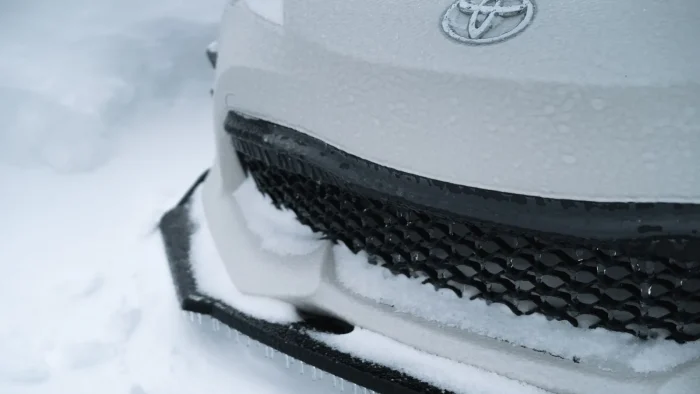
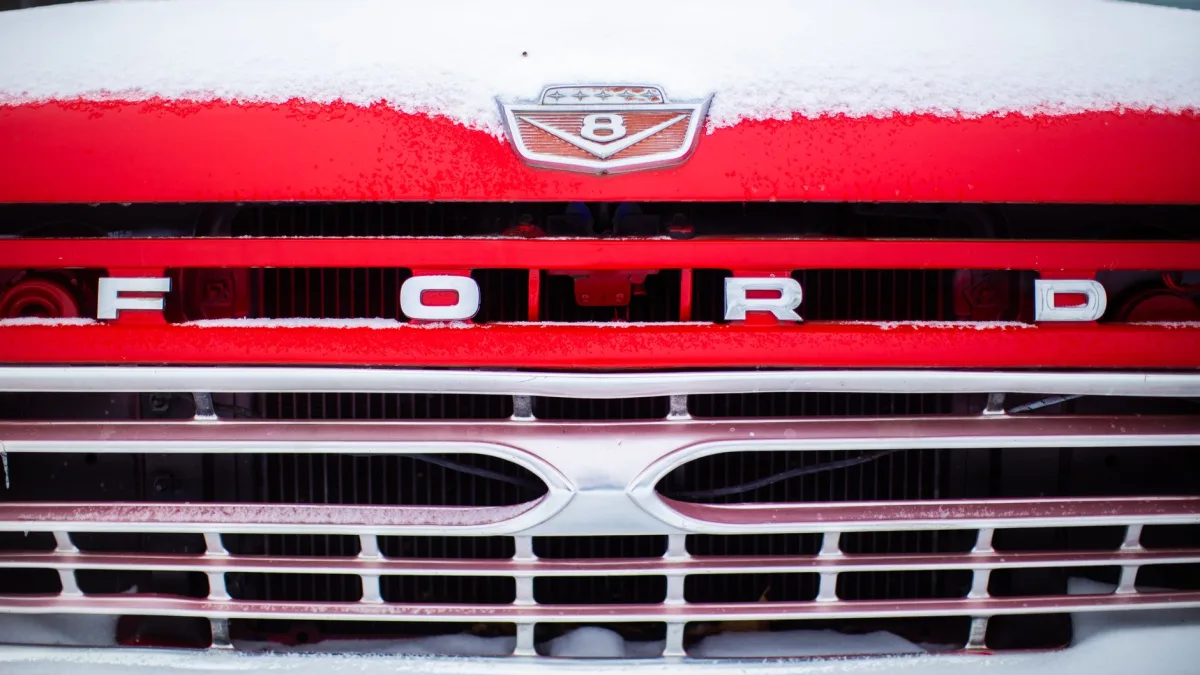
Highway spray in a fresh snow throws a constant mist of slush onto the front of the car. Within twenty minutes that mist builds into a solid crust right over the radar. This is the most common winter cause I see, and it can happen even when the grille looks mostly clear from a few feet away. Subaru EyeSight, Honda CMBS, and Toyota Pre-Collision System all report unavailable fast when this happens.
2. Iced or fogged camera glass
The windshield camera needs a clear patch of glass directly in its view. If the defroster has not reached that zone, the camera is effectively blindfolded. This is why braking often comes back a few miles into a drive, once the glass finally warms.
3. Road salt and grime film
Late in a long winter, the real enemy is the caked layer of salt, sand, and road film that never fully washes off. It builds gradually over the bumper, badge, and glass, so drivers rarely connect it to the fault. A quick wipe of the sensor areas usually clears it.
4. Fog, heavy rain, and low winter sun
Even without snow, dense fog and blinding low sun can wash out the camera. These are temporary and clear as conditions change. A confused sensor in these conditions can also brake at nothing, which we cover in our guide to why your car brakes for no reason.
How to keep braking active in winter
You cannot control the weather, but you can control how much of it reaches your sensors. This routine keeps my own truck’s braking online through New England winters.
- Brush snow off the grille, badge, and lower bumper, not just the windows.
- Give the defroster a few minutes to clear the camera zone before you rely on braking.
- Wipe salt film off the sensor areas at every fuel stop.
- Keep washer fluid topped up so you can clear the glass on the move.
- After a car wash, dry the grille area so it does not refreeze into an ice cap.
That first item is the one drivers skip. Everyone clears the windshield. Almost nobody thinks to knock the snow out of the grille, which is exactly where the radar lives.
Tip
Keep a cheap microfiber cloth in the door pocket just for sensor areas. Ten seconds of wiping at a gas stop often clears a fault that would otherwise nag you the whole drive home. The same habit that trips up drivers in the cold shows up in our list of mistakes that disable city braking support.
When a winter fault is actually a real problem
Most cold-weather messages clear the moment the sensor can see again. A few do not, and those are worth a closer look.
Be suspicious if the warning stays on after the car is warm, dry, and clean, or if it appears on a clear day with no buildup at all. That points to a misaimed sensor or a genuine fault rather than weather. When that happens, a scan makes sense, and our breakdown of the cost to fix automatic emergency braking tells you what to expect at the counter.
Watch out
Do not scrape ice off the windshield camera lens or the radar cover with a metal tool. A scratched or cracked cover can permanently degrade the sensor. Warm it and wipe it, never gouge it. Let the defrost and engine heat do most of the work.
A winter braking warning is usually your car saying it cannot see, not that it is broken. Clear its view and it comes right back.
Brand behavior in the cold
Systems handle winter differently. Subaru EyeSight is camera-based, a stereo pair behind the windshield, so it is especially fussy about a snow-covered or iced glass and will quit the moment its view is compromised. Radar-based setups like Toyota and Honda tolerate a dirty windshield a little better but still choke on a packed grille.
Whatever badge you drive, the fix is the same: clear the sensor and warm the glass. Knowing which symbol your dash is showing helps you tell a routine winter message from a hard fault, and our AEB warning lights and symbols chart lays those out side by side.
Cold does more than block the view
Bitter cold can also thicken grease in moving parts and briefly slow the electronics at startup, though modern systems handle this well. The bigger factor by far is still simple coverage: snow, ice, and salt sitting on the sensor face.
The federal team at NHTSA notes that driver-assist features degrade in poor visibility, which is your reminder that these systems assist, they do not replace attentive driving. For a plain-language look at what braking can and cannot do in bad weather, the folks at MyCarDoesWhat keep it honest. In a whiteout, drive like you have no braking help at all.
Getting through the season
A winter AEB warning is one of the most common and most harmless faults I see all year. Clear the sensors, warm the glass, and it almost always returns on its own within a few minutes.
For the full picture of how this braking watches the road and why it steps back in bad weather, read our overview of automatic emergency braking. Once you understand what the sensors need, a snowy dash warning stops being a scare and becomes a simple to-do: clear the view and roll on.
Questions drivers ask
Wet snow and slush pack onto the front grille and badge where the radar sits, and ice or fog covers the windshield camera. With no clear view, the car disables braking rather than guess. Clearing the sensor areas usually restores it within minutes.
Yes, you can drive, but you no longer have automatic braking backup, so leave extra following distance and stay alert. The warning simply means the sensors cannot see. Treat it as a reminder to drive as if you have no assist at all.
Brush snow off the grille and badge, let the defroster clear the camera zone on the windshield, and wipe salt film off the sensor areas. In most cases braking comes back on its own once the sensor has a clear view again.
Never use a metal scraper on the camera lens or radar cover, since a scratch can permanently degrade the sensor. Warm the area with the defroster or a gloved hand and wipe it gently with a cloth instead.
If the warning stays on after the car is warm, dry, and clean, or shows up on a clear day, it is likely a misaimed sensor rather than weather. That is the point to get a diagnostic scan to check for a real hardware issue.